October 18 updates: OldSnap 0.4.0, Miaoyu 0.9.5, Weavora 0.4.1
Three apps shipped new versions on the same day. OldSnap now has an installer and animated tutorials, Miaoyu credits are now given daily, and Weavora can fix an order that hasn't started yet in place. We also list what each one still can't do.
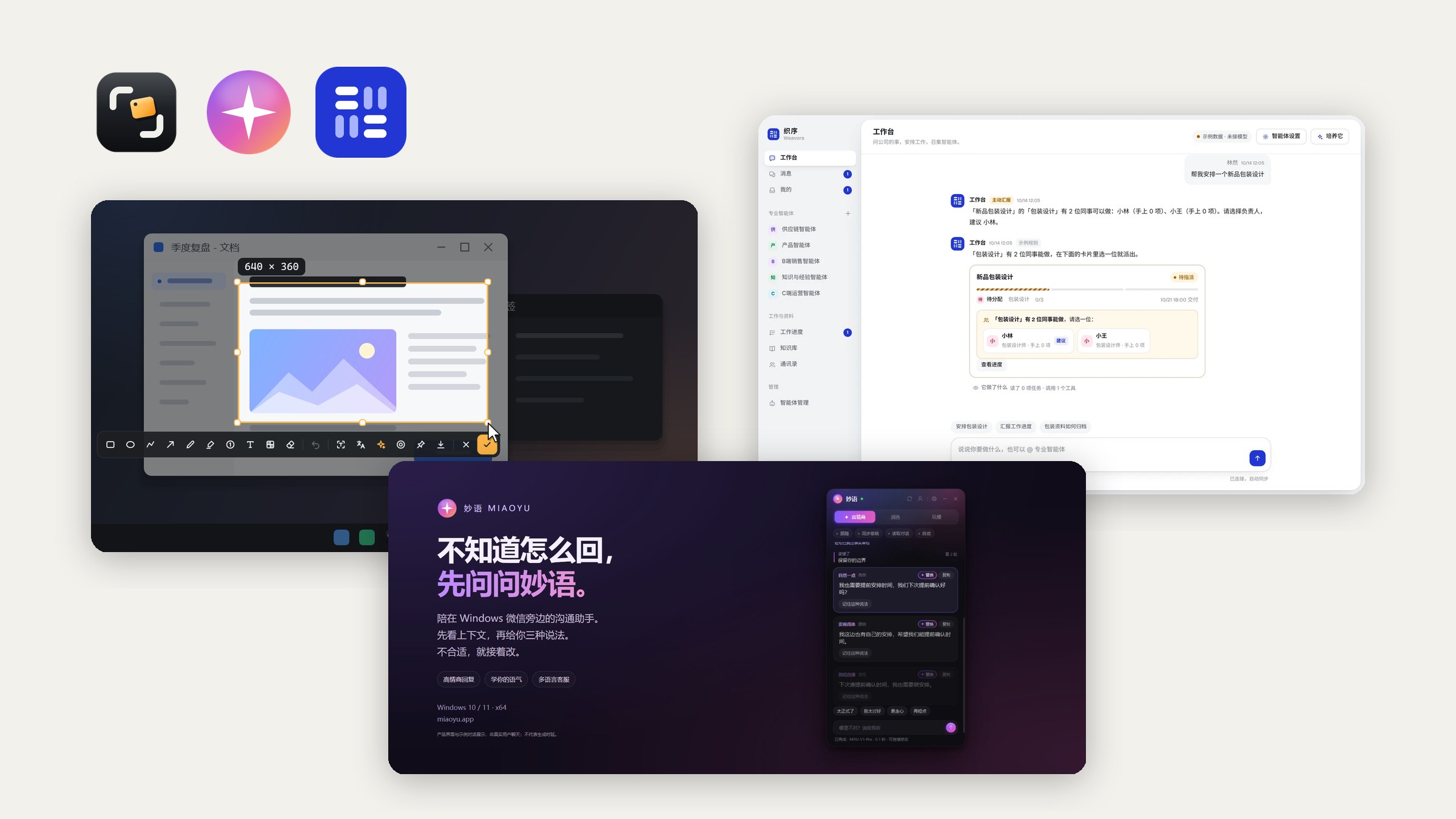
On October 18, OldSnap, Miaoyu and Weavora each shipped a new version. This post covers all three: what changed, how to get the update, and what isn't done yet. The full version history is at the bottom of each product page.
| App | Version | Main changes | How to update |
|---|---|---|---|
| OldSnap | 0.4.0 | Install and uninstall, first-run setup, 8 animated tutorial chapters, light and dark themes | Offered on the stable channel, not forced; or download from the website |
| Miaoyu | 0.9.5 | Credits now given daily; new mood and intent analysis | In-app update, you click install |
| Weavora | 0.4.1 | Runs confirmed workflows, repairs orders in place, login email migration | Cloud updated by Oldlee; private deployments, contact us |
OldSnap 0.4.0: know how to use it once it's installed
0.4.0 fills in the first-run part: how to install it, what to do after you open it, and where each feature lives.
- Install it, or don't. It installs into your user folder and uninstalls cleanly. If you'd rather not install, choose "run without installing".
- First-run setup. The first time you open it, you set the look, shortcuts and launch at startup. Every step can be skipped. Whatever you chose for launch at startup during install is kept.
- 8 animated tutorial chapters. One each for capture, snapping, annotation, text recognition, translation, AI, pinning and recording. You can reopen them from Settings.
- Themes. Follow system, light or dark, and the capture toolbar can be set light or dark on its own.
- The settings navigation fix is also included in this version.
The installer is a single EXE, about 91.6 MiB, with the .NET 8 runtime included, so there's nothing else to install. Default shortcuts are unchanged: Ctrl + 1 to capture, Ctrl + 2 to pin, Ctrl + 3 to record, Ctrl + 4 to recognize text.
Miaoyu 0.9.5: daily credits, and read the other person before you reply
The biggest change in this version is how credits work, so let's start there.
Credits are now given daily
- Daily members get 100 credits a day, Communication members 300, and Support Pro members 800.
- Credits refresh at midnight Beijing time and are valid that day only. Unused credits don't carry over.
- One full round of three versions costs 1 credit. Asking for changes starts a new round.
- A new one-time 30-day purchase is available. It's priced differently from monthly and doesn't auto-renew.
With daily credits you get a fixed amount every day and don't have to ration toward the end of the month. On the other hand, if you chat a lot on one day, you may run out and have to wait for the next refresh or buy a top-up pack.
Mood and intent analysis
When a new message comes in, Miaoyu can first read the visible conversation for mood, urgency and what the other person wants, then help you reply. This analysis doesn't use credits. Each account gets up to 400 a day, still subject to service limits. You can turn automatic analysis off in Settings.
Other changes
- Switching plans with an unpaid balance is now handled more clearly.
- There's now a feedback link in the app settings and on the website.
- The server now supports recoverable account deletion: a deleted account can be restored.
- The contact email is now support@eeoo.dev, and you can also reach us on Telegram.
Weavora 0.4.1: work follows the workflows you confirmed
Weavora is a team workspace and is still in the pilot stage. 0.4.1 is mostly about the "doing" step.
- Reuse confirmed workflows. Once a lead confirms how something is done, similar work follows that workflow next time.
- Resource check before starting. Before work begins, it checks whether there are enough people and capacity.
- Repair orders in place. If an order that hasn't started has a problem, it can be fixed on the original order, with a snapshot kept of how it was before.
- Progress reports. Tasks and local order progress can be updated and reported to the right people, based on permissions.
- Login email migration. When you change your login email, your account, company link and existing authenticator are kept. Verification emails and the support link were updated too.
An internal record does not mean the external ERP has been synced.
In other words: marking an order done in Weavora only means Weavora has recorded it. It doesn't change anything in your company's ERP.
How to get the update
- OldSnap: if it's already installed, you'll get an update prompt on the stable channel. It isn't forced. You can also download it again from oldsnap.cc.
- Miaoyu: the app checks automatically when you open it. Click install when you see the prompt. Updates keep your local data and can be rolled back.
- Weavora: the cloud version at app.weavora.cc is updated by Oldlee. Private deployment customers, please email support@eeoo.dev to confirm how to upgrade.
If you run into a problem, or think something here is wrong, email support@eeoo.dev. The next round of updates will be posted here too, and you can follow along via RSS.